

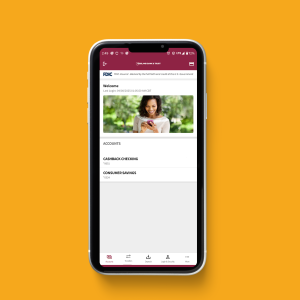
 Mobile banking has become one of the most popular ways to manage money. Whether you’re checking your balance, transferring funds, or paying bills, mobile apps offer fast, secure access to your account—anytime, anywhere.
At Gibsland Bank & Trust (GBT), our mobile banking app is built for convenience, safety, and the services you need most. Here are five reasons why it stands out.
1. Convenience at Your Fingertips
With the GBT mobile banking app, you can access your accounts 24/7 from your smartphone or tablet. Check balances, view transactions, transfer money, and pay bills—all without visiting a branch.
Banking from your mobile device means fewer trips and more flexibility, especially for busy families and small business owners across Louisiana.
Learn more about Online & Mobile Banking.
2. Strong Security Features
Your safety is a top priority. GBT’s app includes biometric login options such as fingerprint or facial recognition, depending on your device. It also uses secure encryption to protect your data.
For extra peace of mind, we recommend reviewing the FDIC’s Mobile Banking Security Guide.
3. Easy Payments with Zelle
GBT’s app includes Zelle, a secure and fast way to send money to people you know. Whether you’re splitting a dinner bill or sending money to a family member, Zelle transfers money directly between bank accounts—often within minutes.
Learn more about how Zelle works at the Zelle Official Site.
4. Mobile Check Deposit
Skip the trip to the bank. Use your phone to deposit checks directly into your GBT account by taking a photo of the front and back. It’s fast, simple, and perfect for customers who live or work in rural areas of North Louisiana.
Some limits may apply, and deposits are subject to standard check-clearing policies.
5. Real-Time Alerts and Account Management
Stay on top of your finances with customizable alerts. Get notified of large withdrawals, low balances, deposits, and more.
You can also:
- Lock and unlock your debit card
- Review statements
- Manage recurring payments
- Place a stop payment on a check or range of checks
This keeps you informed and in control at all times.
How to Download and Set Up the App
- Visit the App Store (iOS) or Google Play Store (Android).
- Search for Gibsland Bank & Trust Mobile Banking.
- Download and install the app.
- Log in using your online banking credentials or set up a new account.
- Enable biometric login and customize alerts.
If you need help, contact our team anytime through our Contact Us page.
Why Mobile Banking with GBT Is the Smart Choice
From Zelle integration to mobile check deposit and biometric login, the GBT mobile app brings modern features to local banking. It combines safety, flexibility, and convenience—right in the palm of your hand.
No matter where you are mobile banking makes GBT more accessible than ever.
Frequently Asked Questions
- Is the GBT mobile banking app free?
Yes. The app is free to download and use for all GBT customers. - How do I download the GBT app?
Search for “Gibsland Bank & Trust” in your phone’s app store and follow the installation steps. - Can I use biometric login on the GBT app?
Yes. You can log in using fingerprint or face ID if your device supports it. - Is Zelle available in the GBT app?
Yes. GBT integrates Zelle to make fast and secure money transfers easy. - How do I deposit a check using the app?
Open the app, select “Deposit Check”, endorse check as outlined in the app, take photos of the front and back, and submit. - Are there limits on mobile deposits?
Yes, deposit limits may apply and are subject to GBT’s check-clearing policies. - How secure is GBT’s mobile banking app?
The app uses encryption and supports biometric login to keep your data safe. - How can I enable account alerts?
You can turn on and customize alerts from the app’s settings menu. - What devices support GBT mobile banking?
Most Apple and Android devices support the app. Visit the app store for details. - What should I do if I lose my phone?
Contact GBT immediately to help secure your account. You can also log in from another device to manage your settings.